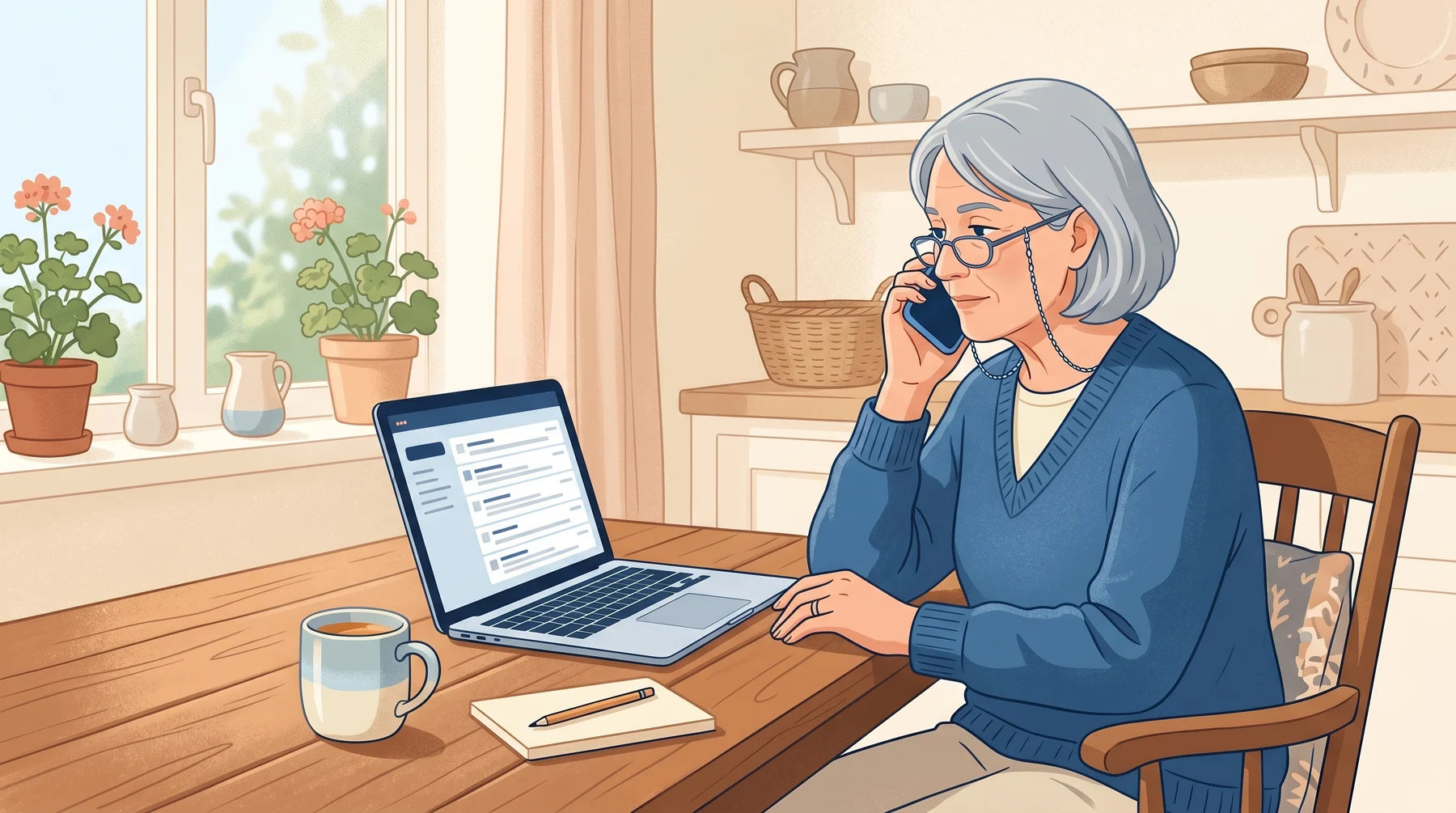
An email arrives looking exactly like PayPal, showing a Bitcoin purchase for around $400 you don’t remember making. It gives you a phone number to call if it wasn’t you. You call. That phone number is the scam. The email is just the bait to get you on the phone.
Who is Affected?
Anyone with a PayPal account, active or dormant
Older adults who trust official-looking emails and prefer to call a number rather than click a link
Anyone unfamiliar with Bitcoin, because the word itself sounds scary and urgent
Small business owners who use PayPal for customer payments and can’t afford to have their account frozen
If you’ve ever had a PayPal account, you’re on a list somewhere. That’s enough to make you a target.
How the Scam Works
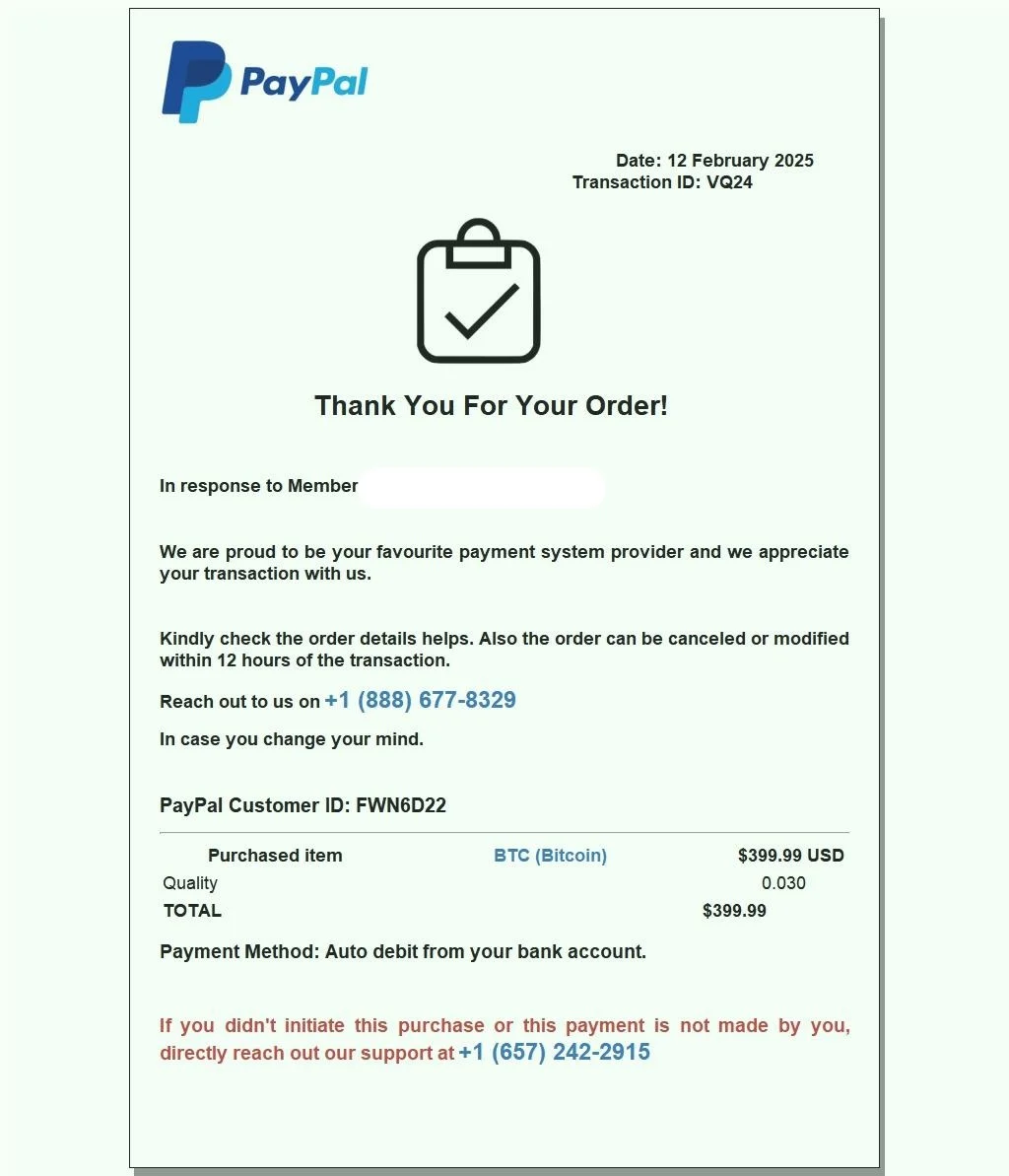
The email. It looks identical to a real PayPal receipt. The logo, the formatting, even the typical wording. It shows a Bitcoin purchase, usually in the $300 to $500 range, and says the money will be taken from your PayPal balance in a few hours.
The hook. A line at the bottom says: “If this wasn’t you, call 1-888-XXX-XXXX to cancel this transaction before it completes.”
The call. You call the number. A polite-sounding person answers as PayPal support. They confirm the fake purchase, apologize, and say they’ll cancel it right away.
The pivot. Somewhere in the conversation, the person starts using scare language. They say hackers accessed your account. They say there may be more fraud. They say the bank needs to secure your money.
The remote access. They ask you to install a program called AnyDesk, TeamViewer, or UltraViewer. They call it a “secure banking tool”. It’s actually remote-control software. Once it’s on your computer, they can see and control everything you do.
The theft. While you watch, they “transfer money to a safe account” that’s actually theirs. Sometimes they take out bank loans in your name during the call. Sometimes they convince you to buy gift cards and read the codes out loud.
Elderly victims have lost tens of thousands of dollars this way in the course of a single phone call. The trauma of realizing it afterward can be worse than the money.
What to Look Out For
Emails about PayPal transactions you don’t remember, especially involving Bitcoin or large amounts
A phone number in the email that you’ve never seen on PayPal’s real website
Anyone, regardless of who they claim to be, asking you to install AnyDesk, TeamViewer, Quick Assist, or UltraViewer
Anyone asking you to buy gift cards or move money to a “safe account”
Anyone pressuring you to stay on the phone, especially if they tell you not to hang up to check with a family member
Typos in the email, a slightly-off sender address like
service@paypaL-billing.comStrange urgency: “you have 30 minutes before this charge is final”
Here is What It May Look Like
How to Stay Safe
Don’t call phone numbers from emails. If you’re worried about a PayPal charge, open the PayPal app on your phone or go to paypal.com directly. Your real charges will be visible in your activity log. Scam charges won’t.
PayPal’s real support number is on their website. Go to paypal.com/help and use the “Contact Us” section. Don’t trust a number that came to you.
Never install remote-access software for anyone who called you. Not PayPal. Not your bank. Not Microsoft. Not the government. If they insist, it’s a scam. Hang up and call back using a number you look up yourself.
Never buy gift cards for someone on the phone. No legitimate business or government agency accepts gift cards as payment for anything.
It’s okay to hang up mid-call. You’re not being rude. You’re protecting yourself. Hang up, take a breath, and call the real number yourself.
Check haveibeenpwned.com for your email and change your PayPal password if it shows up in a breach.
Turn on two-step verification on your PayPal account. PayPal → Settings → Security. Our course Simple Strategies to Be Secure Online walks through it.
Report the attempt. In Canada, the Canadian Anti-Fraud Centre at 1-888-495-8501. In the US, the FBI’s IC3. Forward the email to
phishing@paypal.com.
Conclusion
The trick here is not the fake email. It’s the phone number. Once a scammer has you on a voice call, they have you in a pressurized environment where you’re much more likely to make a bad decision. The one habit that stops this: if an email has a phone number, don’t call it. Go to the real website, find the real number, and call that one specifically.
If you’re not sure whether an email is real, take a breath and ask Dave before picking up the phone. He can look at the language and the sender address with you in about a minute.
Related: our post on The Bank Fraud Call Nobody Warned You About covers a similar voice-based scam you may hear next.
Know someone elderly who banks online? This is the scam most likely to hit them. Forward this post, or save it somewhere they can find it next time.
Keep reading
No One From Google Will Call You About Your Account
A caller sent a real Google sign-in prompt to my phone and said he had all my passwords. He had none of them. He needed me to tap Yes.
The Fake Storage Full Email Hiding on Google
A fake "Cloud Secure" email says your storage is full and your photos get deleted today, then sends you to a payment page hosted on Google.

Fake Bank Calls That Also Steal Your Voice
A bank call that sounds completely real is now doing two jobs at once: trying to drain your account, and recording your voice so it can be cloned later.