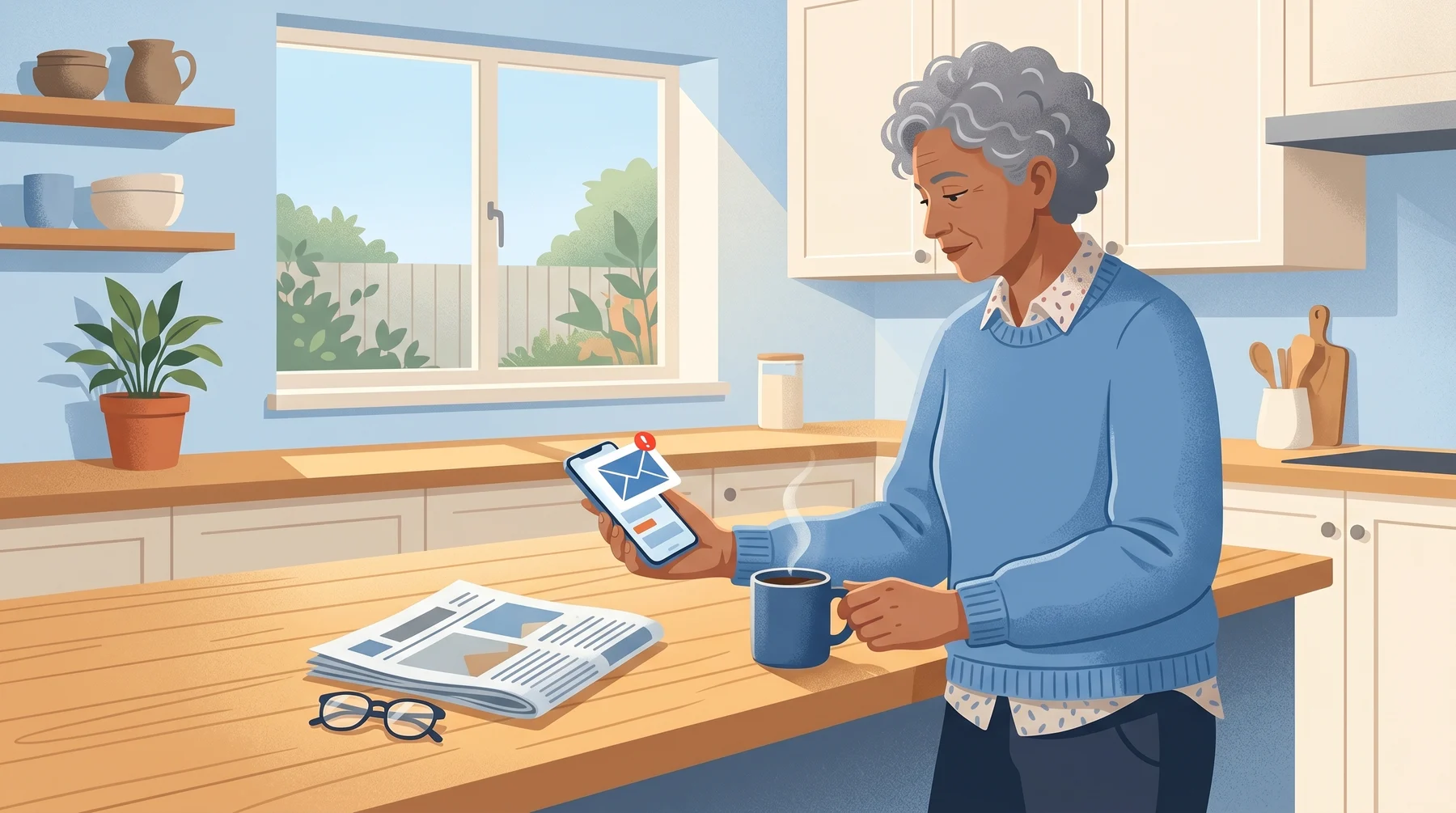
A phishing email went out this month that really did come from Apple. Apple’s own servers sent it, and it passed every security check your inbox runs. Here’s how the scam works, and the one defense that still stops it.
Who is Affected?
Anyone with an Apple ID or iCloud email, which covers most iPhone, iPad, and Mac users.
Retirees and parents especially. The email looks identical to a real Apple account alert, and it panics you about an $899 charge you never made.
Anyone who reads email on a phone, where small details are easy to miss.
How the Scam Works
The attackers hijack Apple’s own notification system. First reported by BleepingComputer, here’s the step-by-step:
The attacker signs up for a new Apple ID.
They type the scam message into the first-name and last-name fields of that account. Apple caps each field at about 40 characters, so they split the message across both. In the sample, the “name” reads: “899 USD iPhone Purchase Via Pay-Pal To Cancel”, followed by a 1-802 phone number.
The attacker changes the shipping address on that Apple ID. Changing your shipping info triggers Apple’s automated “your account was updated” email.
Apple’s real servers send that alert. The greeting line, which normally reads “Dear [Your Name]”, now reads “Dear User 899 USD iPhone Purchase Via Pay-Pal To Cancel 1-802...” because the name fields were weaponized.
The email comes from
appleid@id.apple.com. SPF, DKIM, and DMARC (the three checks your email app runs to confirm a sender is legitimate) all pass. Your inbox shows the real Apple logo and sender.The attacker blasts this alert to a mailing list of targets. Every recipient sees a “legitimate” Apple email telling them to call a number to dispute a charge.
Here’s the real artifact (number blurred):
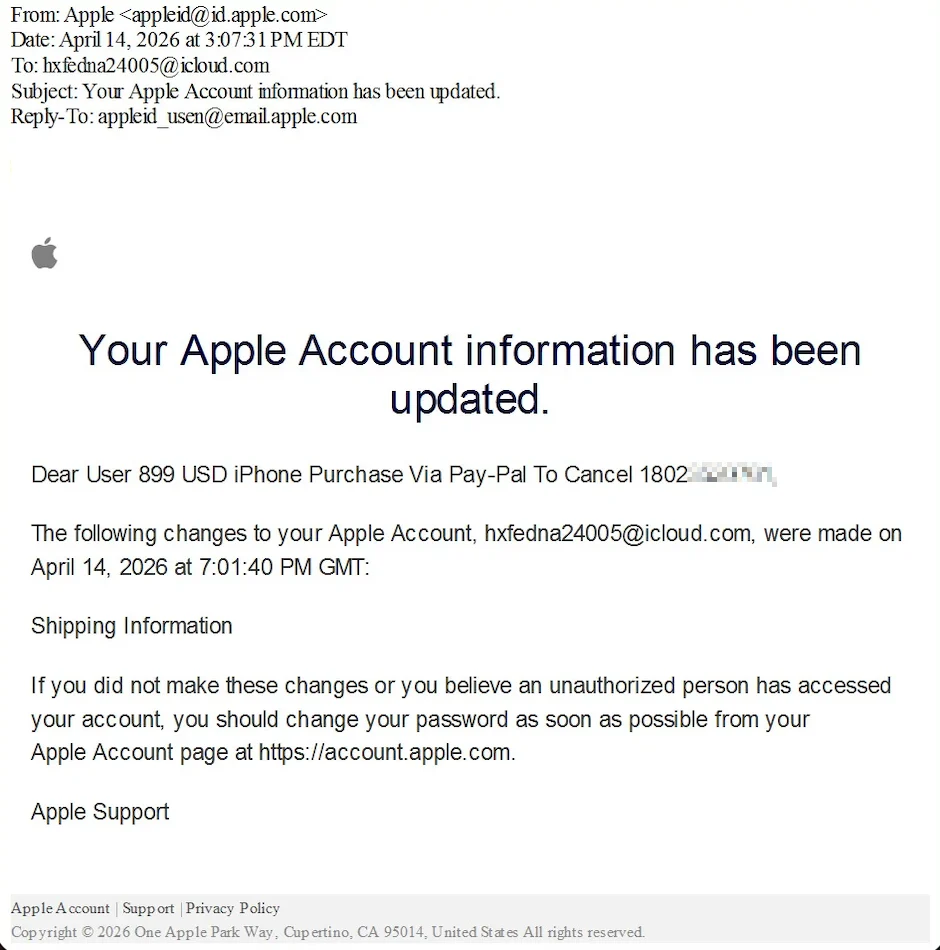
The goal is always the phone number. Call it and you reach a scammer who walks you through installing remote-access software, handing over card details, or giving up your Apple ID password.
What to Look Out For
A greeting that reads like gibberish. “Dear User 899 USD iPhone Purchase Via Pay-Pal To Cancel...” is where your real name would normally appear. That mess IS the attack.
Any Apple email telling you to call a phone number. Apple doesn’t ask you to call.
Any mention of PayPal in an Apple-branded notification. Apple charges go through your Apple payment method. PayPal is a separate service, unrelated to Apple billing.
A Reply-To address that doesn’t match the sender. The sample email shows
appleid_usen@email.apple.comas Reply-To, while the real Apple address isappleid@id.apple.com. Most email apps show this if you tap the sender’s name.A phone number with an unusual area code (the sample uses 1-802, which is Vermont) with no connection to Apple or to you.
How to Stay Safe
Right Now
Don’t call the number. Close the email.
Don’t tap any link in the email either. To check your Apple account, type
account.apple.comyourself, or open Settings on your iPhone and tap your name at the top.
Check if There’s a Real Charge
Open your Apple Wallet, your bank app, and your PayPal app directly.
If there’s no $899 charge in any of them, there’s no real problem. Delete the email.
If there IS a real charge you didn’t make, dispute it inside that app. Don’t dial a number from an email.
If You Already Called the Number
Hang up.
Don’t install any software they told you to install. If you already did, turn off your Wi-Fi and ask a trusted friend or family member for help removing it.
Change your Apple ID password by typing
account.apple.comyourself.If you shared card or bank details, call the number on the back of your card and report it.
Report the scam to the Canadian Anti-Fraud Centre (in Canada) or to the FBI’s IC3 (in the US).
The One Rule That Still Works
Never call a phone number you find in an email alert. Even if the email is perfect. Even if every security check passes. Go to the app directly, or type the website yourself.
Conclusion
“Check the sender address” is the oldest phishing advice we have, and this scam breaks it. The sender really is Apple. What still works: never let an email push you into a phone call.
Related on Phended:
Why Scam Links Now Come From Places You Trust: same trick, hosted documents instead of email.
The Bank Fraud Call Nobody Warned You About: the callback-scam pattern this one funnels you into.
Want to go deeper? Our free course How Not to Get Phished walks through the 4-step check that defeats most of these attacks.
Keep reading
The Fake Storage Full Email Hiding on Google
A fake "Cloud Secure" email says your storage is full and your photos get deleted today, then sends you to a payment page hosted on Google.
How to Spot the Fake Jobs That Launder Money
A wave of fake job offers is aimed at students, young adults, and anyone needing extra income. The "work" is laundering stolen money. The legal trouble lands on you, not the scammer.
Why Scam Links Now Come From Places You Trust
Criminals are hosting their scam pages on Google Docs, Microsoft OneDrive, and Canva. Your eyes see a familiar brand. Your instinct says safe. It's not.