Other cyber events · Report
A bad Android app was able to take your work sign-in. Microsoft fixed the Authenticator flaw
A flaw in Microsoft Authenticator for Android let a bad app take your work sign-in key. Microsoft fixed it in September. Update the app from the Play Store.
What happened
Microsoft Authenticator is the phone app that signs you in to other Microsoft apps, such as Teams and Outlook.
Researchers found a flaw in the Android version. Any app on the phone can pretend to be one of those apps.
The fake app then received a kind of electronic key for your work account.
With that key, someone was able to read your work email, files, and calendars, according to tests by the security company Enclave.
The researchers also showed that a fake app was able to change the account's sign-in settings. Those settings control who can sign in.
Microsoft fixed the flaw on September 8, 2026. The company gave the problem the number CVE-2026-80097.
The details became public on October 23, 2026, when the research team published its findings.
Sources: AuthMask: We Made Microsoft Authenticator Hand Over Tokens to an App With Zero Permissions; CVE-2026-80097: Microsoft Authenticator Elevation of Privilege Vulnerability; Microsoft Authenticator vulnerability let rogue Android apps steal work account access
Who’s affected
This report concerns people who use the Microsoft Authenticator app on an Android phone with a work account.
You did not need to click anything for the flaw to work. The bad app only needed to be on the phone.
A harmful app must already be installed. That usually means an app from outside the official Play Store.
The findings describe the Android version. Microsoft's fix covers the Android app.
People who use only the iPhone version are not named in the findings.
Sources: AuthMask: We Made Microsoft Authenticator Hand Over Tokens to an App With Zero Permissions
What to do
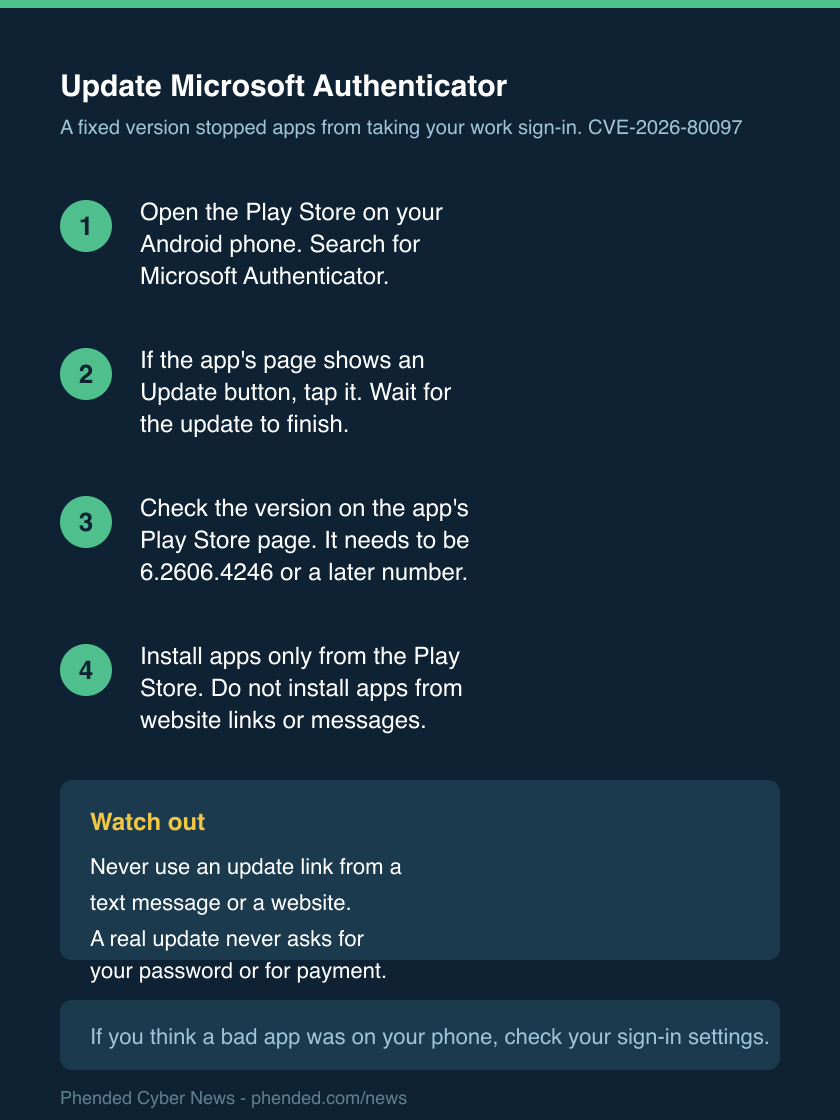
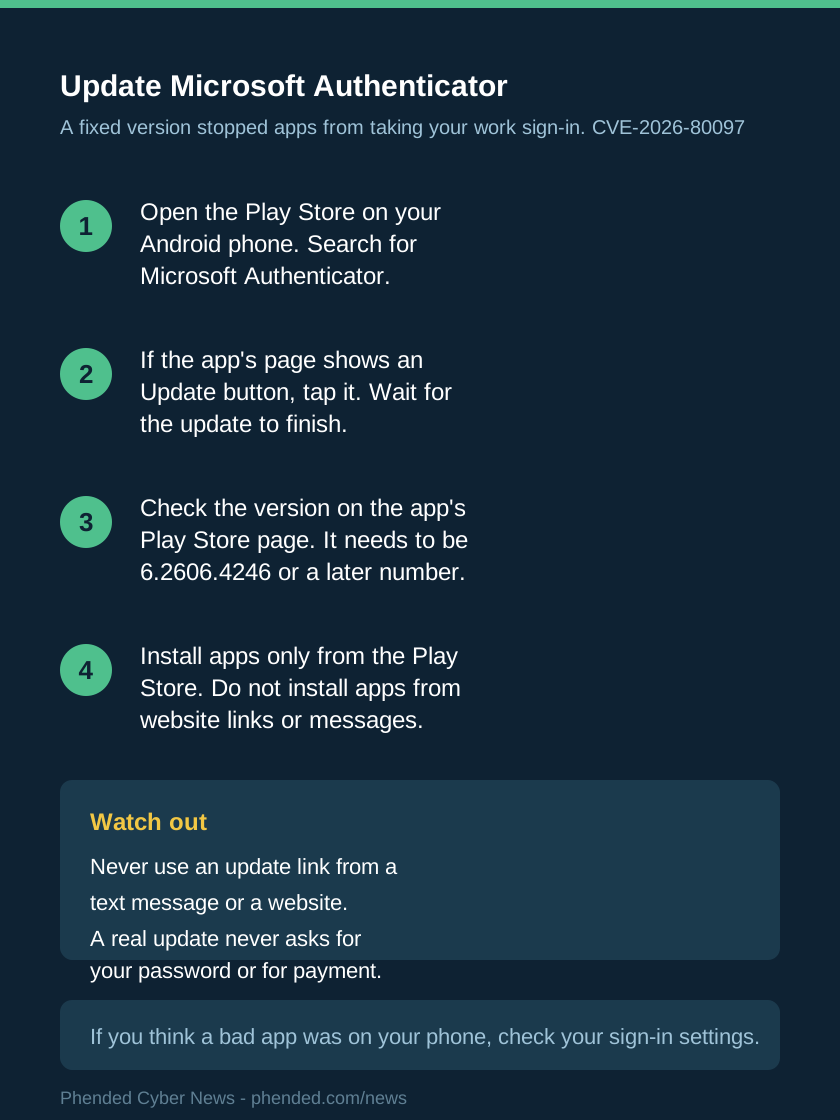
- Open the Play Store on your Android phone. Search for Microsoft Authenticator.
- If the app's page shows an Update button, tap it. Wait for the update to finish.
- Check the version on the app's Play Store page. It needs to be 6.2606.4246 or a later number.
- Install apps only from the Play Store. Do not install apps from website links or messages.
- If you manage phones for a small office, ask the person who sets them up to require this version.
- If you think a harmful app was on your phone, open your account's sign-in settings.
- Remove anything from those settings that you did not add yourself.
- When you are unsure, ask your workplace's IT contact to check the sign-in settings with you.
Sources: AuthMask: We Made Microsoft Authenticator Hand Over Tokens to an App With Zero Permissions; Microsoft Authenticator vulnerability let rogue Android apps steal work account access
What we do not know yet
Microsoft's own advisory page is hard to read without special software. We did not open it directly.
Reports of that advisory say Microsoft does not believe anyone used the flaw. We do not know whether any phone was attacked.
We do not know how many phones carried a harmful app that was able to use this flaw.
We do not know whether the iPhone version had the same weakness. The findings describe Android only.
Sources: CVE-2026-80097: Microsoft Authenticator Elevation of Privilege Vulnerability; Microsoft Authenticator vulnerability let rogue Android apps steal work account access
Guides for your next step
Sources
- CVE-2026-80097: Microsoft Authenticator Elevation of Privilege Vulnerability
Microsoft Security Response Center
- AuthMask: We Made Microsoft Authenticator Hand Over Tokens to an App With Zero Permissions
Enclave
- Microsoft Authenticator vulnerability let rogue Android apps steal work account access
Help Net Security