Other cyber events · Report
Chrome's October update fixes 353 security problems. Update it from inside Chrome
Google's Chrome 156 update fixes 353 security problems, six of them critical. Update Chrome from its own About page. Never use an update link in an email or pop-up.
What happened
Google released Chrome 156 on October 20, 2026. The update fixes 353 security problems in the browser.
Six of the fixes cover the most serious kind of problem. Google marks that kind critical.
The broken parts handle pictures, page styles, video calls, and help features inside the browser.
A flaw that serious can let a harmful page make your computer follow the attacker's instructions.
Google has not said that anyone used these problems to attack people.
The update reaches computers in stages. Some people get it days after others.
Google is already giving some people the next version, 157. Copies on older versions stay at risk until they update.
Sources: Stable Channel Update for Desktop (Tuesday, October 20, 2026); Chrome Releases blog (later notices, checked October 26, 2026)
Who’s affected
This report concerns everyone who uses the Chrome browser on a computer: Windows, Mac, or Linux.
Chrome on phones updates through the app stores. This report describes the computer version.
The flaws live in the browser itself. Any page you open can try to use them.
Chrome usually updates itself when you close and reopen it. Your copy can already have the fix.
The risk continues until your copy finishes updating.
Sources: Stable Channel Update for Desktop (Tuesday, October 20, 2026)
What to do
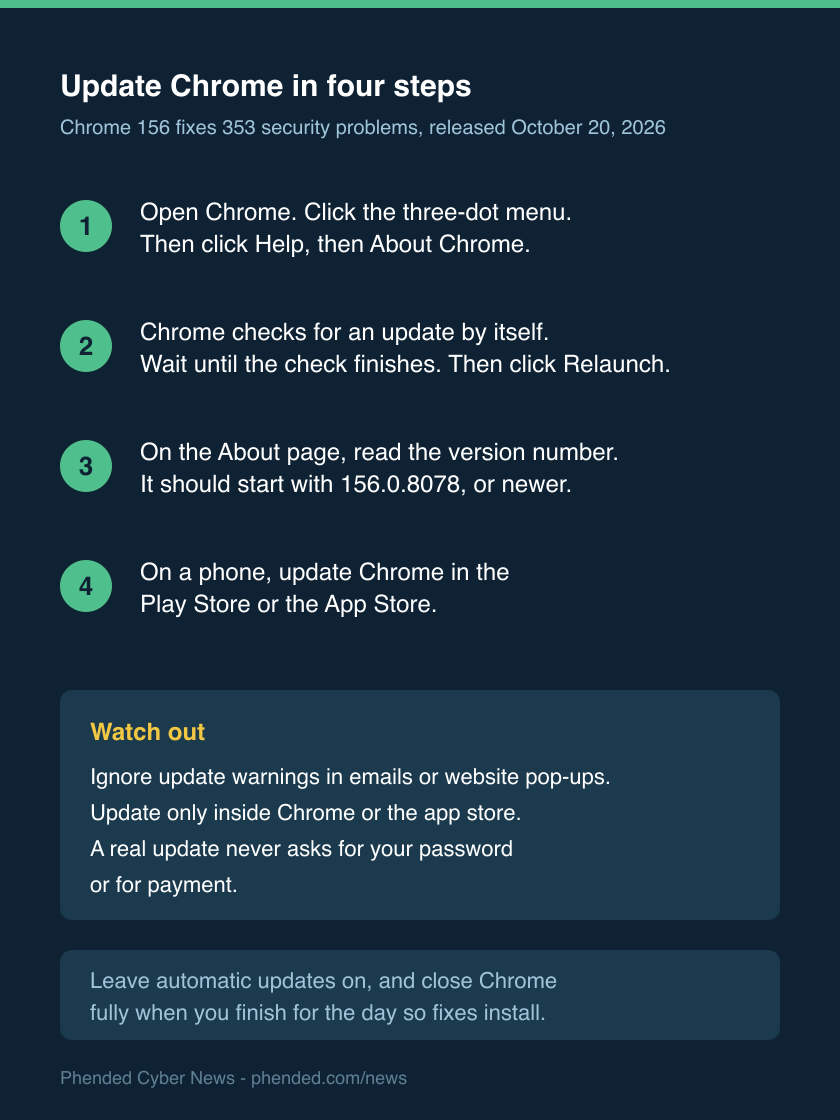
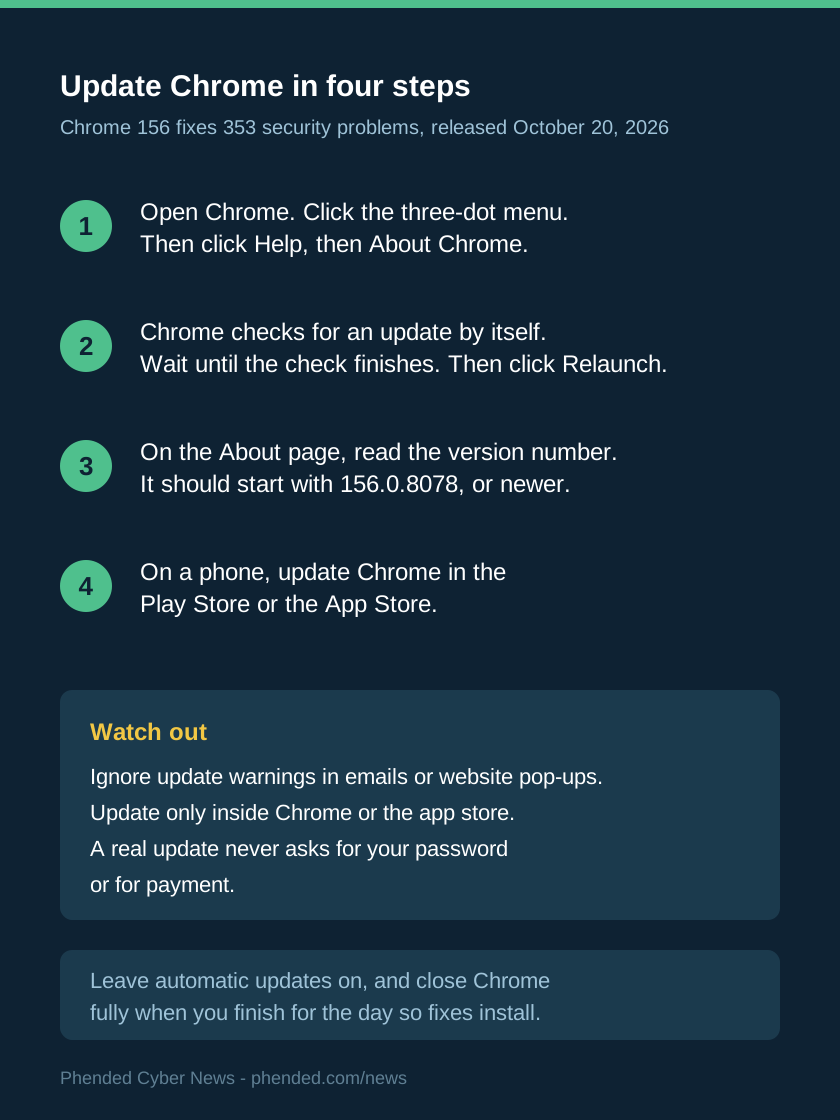
- Open Chrome on your computer. Click the three-dot menu, then Help, then About Chrome.
- Chrome checks for an update by itself. Wait until the check finishes.
- Click the Relaunch button. Chrome closes and opens again with the update in place.
- The About page shows a version number, such as 156.0.8078.47. Numbers from 156.0.8078 up mean the update is in place.
- On an Android phone, open the Play Store. On an iPhone, open the App Store. Update Chrome there if the store offers it.
- If a message or pop-up says your Chrome is out of date, do not click its link. Check the version inside Chrome itself.
- A real update never asks for your password or for payment.
- Leave automatic updates on. Chrome then installs new fixes by itself.
- Close Chrome fully when you finish for the day. Chrome installs its waiting update when it opens again.
Sources: Stable Channel Update for Desktop (Tuesday, October 20, 2026); Chrome Releases blog (later notices, checked October 26, 2026)
What we do not know yet
Google keeps the flaw details secret until most users have the fix. That is its standard practice.
The release page says nothing about real attacks with these problems.
We do not know how many computers already have the update, because the rollout is gradual.
Google has not published a count of people affected by these flaws.
Sources: Stable Channel Update for Desktop (Tuesday, October 20, 2026)
Guides for your next step
Sources
- Stable Channel Update for Desktop (Tuesday, October 20, 2026)
Google Chrome Releases
- Chrome Releases blog (later notices, checked October 26, 2026)
Google Chrome Releases