Data breaches · Report
Capcom account breach exposed 11.7 million emails. Be careful with surprising Capcom messages
A break-in exposed 11.7 million Capcom account email addresses. Scammers can reuse that detail in fake Capcom messages. Open the real account site and check.
What happened
Capcom runs the CAPCOM ID account, which players need for online play in some Capcom games. On October 19, 2026, it found that someone had entered the account service without permission.
On October 22, the company reported the size of the break-in. Attackers accessed 11,774,247 records. Most of them held an email address and details about account use, such as the time of the last sign-in.
Capcom says 43 records also held a date of birth, a country or region, and a nickname.
Attackers changed passwords on 196 accounts without the owners' knowledge. Capcom reset those passwords. It found no proof that the passwords you chose were taken, and no credit card numbers were in the exposed records.
The company warned that scammers can use those email addresses to send fake Capcom messages.
Sources: Capcom's October 22 account breach notice; Capcom ID breach incident detail
Who’s affected
This report matters to people who made a CAPCOM ID account. Some Capcom games need this account for online play.
A fake Capcom email can be hard to spot. Scammers can reuse the real email address you used to sign up.
Scammers often pretend to be a trusted company to steal a password or a sign-in code. That is why the warning matters.
We do not know that anyone used your email address this way. The risk is real, so caution is the right step.
Sources: Capcom's October 22 account breach notice; Don't take the bait: Recognize and avoid phishing attacks
What to do
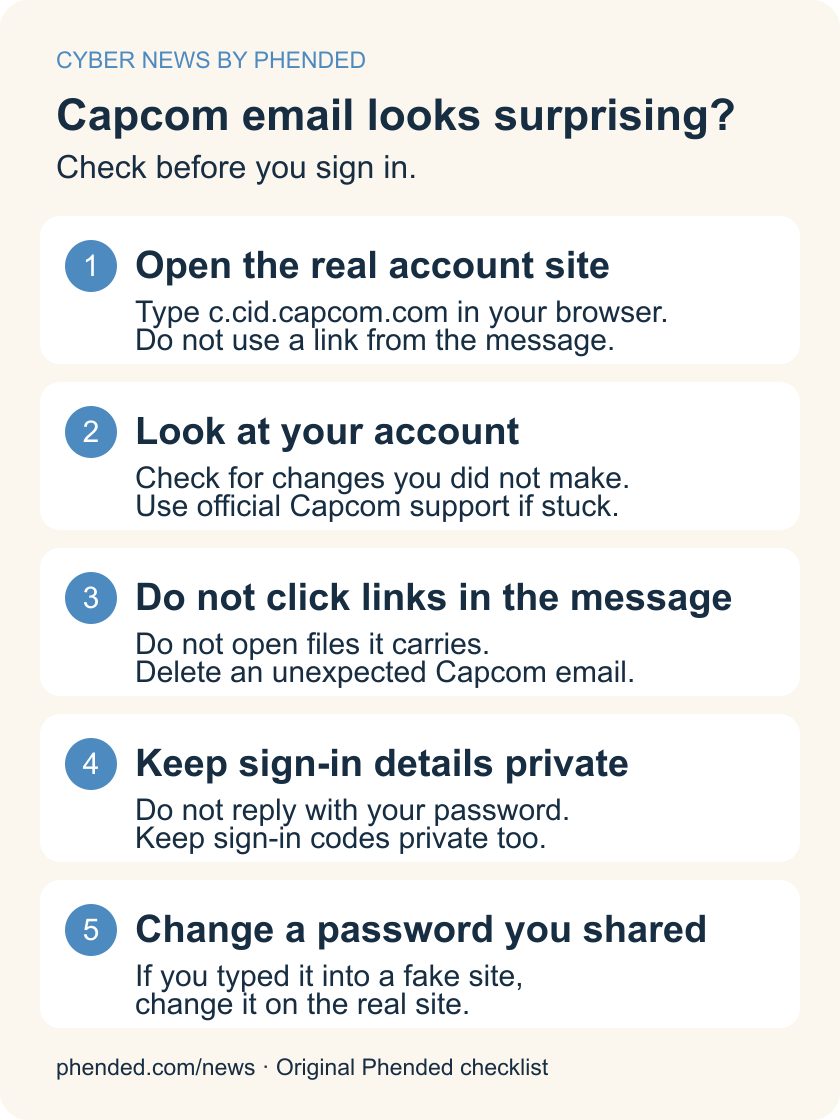
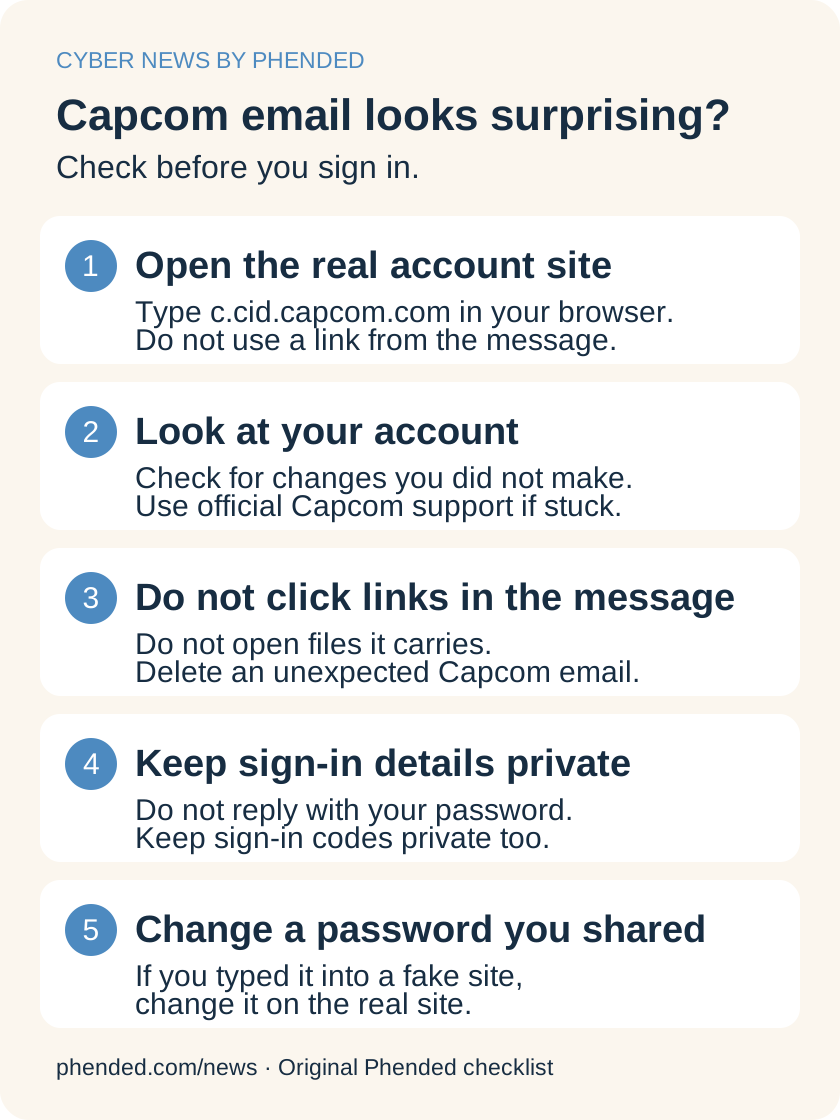
- Open the official CAPCOM ID website yourself. Its address is c.cid.capcom.com.
- Do not use a link from a message to open the site. Type the address into your web browser.
- Look at your account for changes you did not make. Use official Capcom support if something looks wrong.
- Do not click links or open files in an unexpected Capcom email. Delete the message.
- Do not reply to a message with your password or a sign-in code.
- If you typed your password into a fake website, change that password on the real account site.
- Use a different password for each account. A password manager can store the passwords for you.
- Set up an extra sign-in check, called two-step verification, if your account offers one.
Sources: Official CAPCOM ID account website; Don't take the bait: Recognize and avoid phishing attacks
What we do not know yet
Capcom did not say how the attacker entered the account service.
We do not know whether someone used your email address to send a fake Capcom message.
Capcom is still checking the full effect of the break-in. It said it will tell affected customers.
Guides for your next step
Sources
- Capcom's October 22 account breach notice
Capcom
- Official CAPCOM ID account website
Capcom
- Don't take the bait: Recognize and avoid phishing attacks
Canadian Centre for Cyber Security
- Capcom ID breach incident detail
pwn.watch